

DocsSetup guide
Discord bot setup
Get your team's deaths and their online status posted straight to your own Discord server, running 24/7 with no app left open. Here's the whole setup.
Mike killed by Raider at D8
2 minutes ago
Nestel came online
2 minutes ago
Zerg went offline (0/6 online)
2 minutes ago
Set up in 4 steps
- 1
Add the bot to your server
Use the Add to Discord button above and pick your server — you need the Manage Server permission there. The bot joins with only the permissions it needs (never Administrator).
- 2
Connect your account
In your server, type /connect and sign in with Steam. This links your Discord to your Steam account so the bot knows which alerts are yours.
- 3
Turn alerts on
Type /install (needs ROT Pro). The bot creates a private #rot-alerts channel that only admins can see.
- 4
Pick the server to follow
If you have exactly one paired Rust server, /install binds it for you. With several, pick one from the list — or run /rebind any time to switch. Once bound, alerts keep coming with nothing running on your PC.
Pairing needs the app once
Your Rust server reaches our 24/7 relay through the desktop or mobile app, so sign in there once and pair the server in Rust (ESC → Rust+ → Pair with Server). After that the relay holds the connection and you can close everything.
What you get
Ask the server anything
Population, wipe age, what a rocket costs to craft, what a component gives back in the recycler, what your upkeep is down to. Answered from live data, in Discord or in game chat.
/pop
Pop: 137/200, 12 in queue
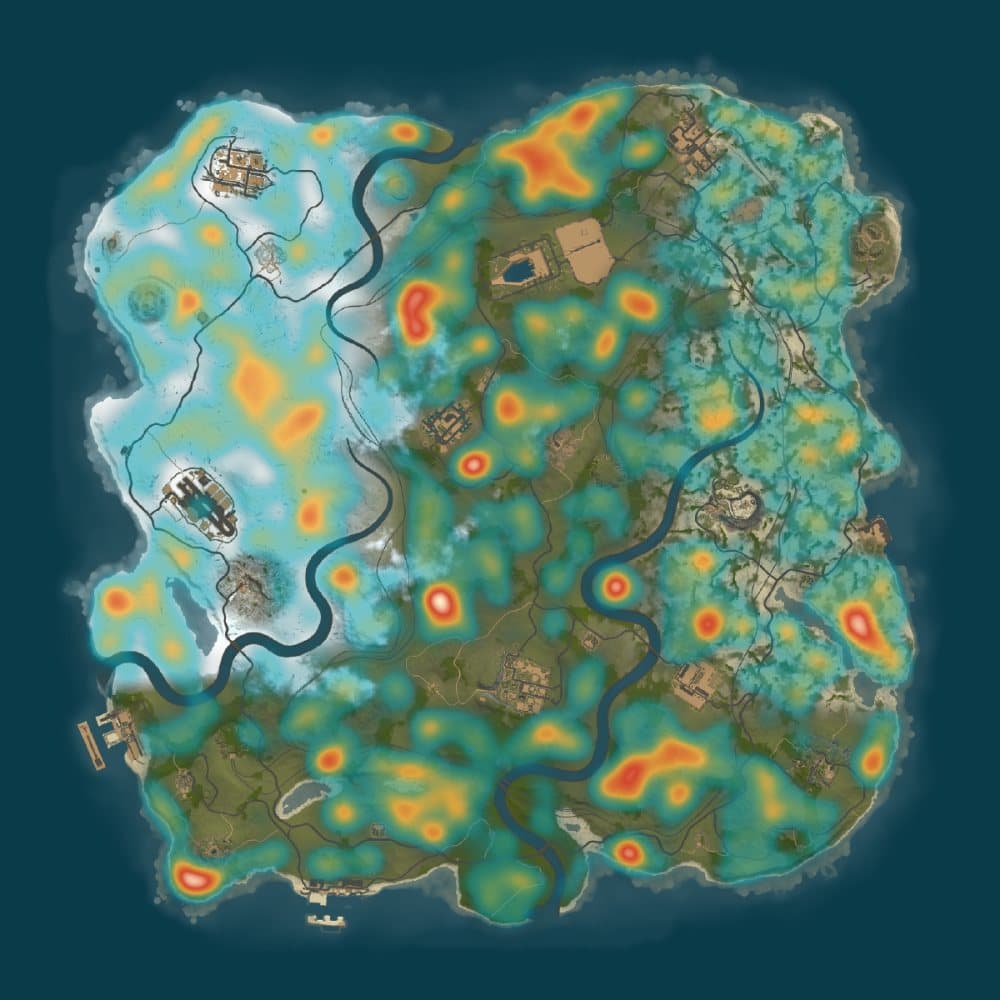
See where the ore is
/heatmapROT ProOne command paints sulfur, metal and stone density over your server's real map render. Bright means dense — that's where you farm.
Commands
Everything the bot responds to in your server. Commands marked with a requirement are hidden from members without it.
Setup
/connectLink your Steam account to your Discord account. Run this once, before /install.
/installTurn alerts on for this server. Creates a private #rot-alerts channel only admins can see, then binds the Rust server to follow.
/setchannelchannel?Move the alert feed to any channel you like — run it there, or name one. It checks that it can actually post before saving, so a channel that inherited the wrong permissions tells you which ones are missing instead of going quiet.
/rebindChange which Rust server this channel's alerts come from. Shows every server you've paired, with the active one marked.
/notifyfeed?Turn an alert feed back on. Run it with no option to see every feed and what's currently enabled.
/stopnotifyfeedMute an alert feed for this server.
In-game commands
The same commands your team types in Rust chat, available as slash commands to everyone in your Discord. They read live data from the bound server and answer whether or not anyone has the app open — on the linked ROT Pro account.
/time/pop/wipe/team/afk/craft/recycle/radsAsk in Discord or type the same thing in game chat with a ! prefix — same answer either way, because both run the same code.
Feeds
Every feed is on by default. Mute the ones you don't want with /stopnotify.
Good to know
- Alerts run on our relay, not your PC. Once a server is bound, the feed keeps posting with the desktop app closed.
- Run /rebind to switch which Rust server the channel follows — wipes don't need any reconfiguring.
- The bot's channels are private (admin-only) by default.
- Adding the bot is free. Everything it SENDS needs ROT Pro on the account that runs /install — pairing a server, the alert feeds, the in-game commands and the heatmap all run off that one subscription. If it lapses they pause, and resume on their own when you resubscribe.
- Your team's deaths and online status are only ever visible to the Discord you bound — never to other servers running the bot.